
Summary
This bypasses Figma's REST API rate limits entirely by running a local plugin bridge that exposes 73 read/write operations over stdio. You can create frames, text, and components, bind variables to node properties, set up prototype reactions, manage styles and collections, and even do find-and-replace across text layers. No API token required, which means the free Figma plan works fine. Setup involves adding the server to your MCP config and importing a manifest into Figma Desktop. Best for design automation workflows where you'd otherwise hit the 6 calls per month limit on Starter plans or need programmatic control over layers, auto-layout, and design tokens without dealing with REST quotas.
Install to Claude Code
verifiedclaude mcp add figma-mcp-go -- npx -y @vkhanhqui/figma-mcp-goRun in your terminal. Replace YOUR_* placeholders with real values; add --scope user to install for every project.
Review the command, arguments, and environment values before installing — MCP servers run with your local permissions.


Keep your Mac awake while Claude Code and 40+ AI agents run. Sleeps when they're idle.
One time payment $9 →

Integrate web data into your AI product. One API to scrape website & brand data.
Get API Key Now →
Agent, run crypto. Access onchain data & trade routes via 1inch.
Install now →
On Capafy, your Skill runs online 24/7 as an agent product, and you get paid every time someone uses it.
Start earning →
Tools
Verified live against the running server on Jun 10, 2026.
verified live73 tools
add_pageAdd a new page to the Figma document.2 params
Add a new page to the Figma document.
Parameters* required
namestringName for the new page (default 'Page')
indexnumberPosition index to insert the page (0 = first). Defaults to last position.
add_variable_modeAdd a new mode to an existing variable collection (e.g. Light/Dark, Desktop/Mobile). IMPORTANT — Figma free plan only allows 1 mode per collection; calling this tool on a free-plan account will return the error 'Limited to 1 modes only'. If that error occurs, stop retrying and...2 params
Add a new mode to an existing variable collection (e.g. Light/Dark, Desktop/Mobile). IMPORTANT — Figma free plan only allows 1 mode per collection; calling this tool on a free-plan account will return the error 'Limited to 1 modes only'. If that error occurs, stop retrying and...
Parameters* required
modeName*stringName for the new mode
collectionId*stringVariable collection ID
apply_style_to_nodeApply an existing local style (paint, text, effect, or grid) to a node, linking the node to that style.3 params
Apply an existing local style (paint, text, effect, or grid) to a node, linking the node to that style.
Parameters* required
nodeId*stringTarget node ID in colon format e.g. 4029:12345
targetstringFor paint styles only — apply to 'fill' (default) or 'stroke'
styleId*stringStyle ID to apply (from get_styles)
batch_rename_nodesRename multiple nodes using find/replace, regex substitution, or prefix/suffix addition.7 params
Rename multiple nodes using find/replace, regex substitution, or prefix/suffix addition.
Parameters* required
findstringString (or regex pattern when useRegex=true) to search for in the node name
prefixstringString to prepend to the node name
suffixstringString to append to the node name
nodeIds*arrayNode IDs in colon format e.g. ['4029:12345']
replacestringReplacement string. Required when find is provided.
useRegexbooleanTreat find as a regular expression (default false)
regexFlagsstringRegex flags e.g. 'gi' (default 'g'). Only used when useRegex=true.
bind_variable_to_nodeBind a local variable to a node property so the property is driven by the variable's value. COLOR variables: use fillColor or strokeColor. BOOLEAN variables: use visible. FLOAT variables: use opacity, rotation, width, height, cornerRadius, topLeftRadius, topRightRadius, bottom...3 params
Bind a local variable to a node property so the property is driven by the variable's value. COLOR variables: use fillColor or strokeColor. BOOLEAN variables: use visible. FLOAT variables: use opacity, rotation, width, height, cornerRadius, topLeftRadius, topRightRadius, bottom...
Parameters* required
field*stringProperty to bind: fillColor | strokeColor | visible | opacity | rotation | width | height | cornerRadius | topLeftRadius | topRightRadius | bottomLeftRadius | bottomRightRadius | strokeWeight | itemSpacing | paddingTop | paddingRight | paddingBottom | paddingLeft
nodeId*stringTarget node ID in colon format e.g. 4029:12345
variableId*stringVariable ID to bind (from get_variable_defs)
clone_nodeClone an existing node, optionally repositioning it or placing it in a new parent.4 params
Clone an existing node, optionally repositioning it or placing it in a new parent.
Parameters* required
xnumberX position of the clone
ynumberY position of the clone
nodeId*stringSource node ID in colon format e.g. '4029:12345'
parentIdstringParent node ID for the clone. Defaults to same parent as source.
create_componentConvert an existing FRAME node into a reusable COMPONENT. The frame is replaced in place by the new component.2 params
Convert an existing FRAME node into a reusable COMPONENT. The frame is replaced in place by the new component.
Parameters* required
namestringOptional name for the component. Defaults to the frame's current name.
nodeId*stringFRAME node ID to convert, in colon format e.g. '4029:12345'
create_effect_styleCreate a new local effect style (drop shadow, inner shadow, or blur).9 params
Create a new local effect style (drop shadow, inner shadow, or blur).
Parameters* required
name*stringStyle name e.g. 'Shadow/Card'
typestringEffect type: DROP_SHADOW (default), INNER_SHADOW, LAYER_BLUR, or BACKGROUND_BLUR
colorstringShadow color as hex e.g. #000000 (default #000000, shadows only)
radiusnumberBlur radius in pixels (default 8 for shadows, 4 for blurs)
spreadnumberShadow spread in pixels (default 0, shadows only)
offsetXnumberShadow X offset in pixels (default 0, shadows only)
offsetYnumberShadow Y offset in pixels (default 4, shadows only)
opacitynumberShadow color opacity 0–1 (default 0.25, shadows only)
descriptionstringOptional style description
create_ellipseCreate a new ellipse (circle/oval) on the current page or inside a parent node.7 params
Create a new ellipse (circle/oval) on the current page or inside a parent node.
Parameters* required
xnumberX position (default 0)
ynumberY position (default 0)
namestringEllipse name
widthnumberWidth in pixels (default 100)
heightnumberHeight in pixels (default 100)
parentIdstringParent node ID in colon format. Defaults to current page.
fillColorstringFill color as hex e.g. #3B82F6
create_frameCreate a new frame on the current page or inside a parent node.19 params
Create a new frame on the current page or inside a parent node.
Parameters* required
xnumberX position (default 0)
ynumberY position (default 0)
namestringFrame name
widthnumberWidth in pixels (default 100)
heightnumberHeight in pixels (default 100)
parentIdstringParent node ID in colon format. Defaults to current page.
fillColorstringFill color as hex e.g. #FFFFFF
layoutModestringAuto-layout direction: HORIZONTAL, VERTICAL, or NONE
layoutWrapstringWrap behaviour: NO_WRAP or WRAP
paddingTopnumberAuto-layout top padding
itemSpacingnumberAuto-layout gap between children
paddingLeftnumberAuto-layout left padding
paddingRightnumberAuto-layout right padding
paddingBottomnumberAuto-layout bottom padding
counterAxisSpacingnumberGap between wrapped rows/columns (only when layoutWrap is WRAP)
counterAxisAlignItemsstringCross-axis alignment: MIN, CENTER, MAX, or BASELINE
counterAxisSizingModestringCross-axis sizing: FIXED or AUTO (hug)
primaryAxisAlignItemsstringMain-axis alignment: MIN, CENTER, MAX, or SPACE_BETWEEN
primaryAxisSizingModestringMain-axis sizing: FIXED or AUTO (hug)
create_grid_styleCreate a new local layout grid style.10 params
Create a new local layout grid style.
Parameters* required
name*stringStyle name e.g. 'Grid/Desktop'
colorstringGrid line color as hex e.g. #FF0000 (GRID only, default #FF0000)
countnumberNumber of columns or rows (COLUMNS/ROWS only, default 12)
offsetnumberMargin/offset in pixels (COLUMNS/ROWS only, default 0)
opacitynumberGrid line opacity 0–1 (GRID only, default 0.1)
patternstringGrid pattern: GRID (default), COLUMNS, or ROWS
alignmentstringAlignment: STRETCH (default), CENTER, MIN, or MAX (COLUMNS/ROWS only)
gutterSizenumberGutter size in pixels (COLUMNS/ROWS only, default 16)
descriptionstringOptional style description
sectionSizenumberGrid cell size in pixels (GRID only, default 8)
create_paint_styleCreate a new local paint style with a solid fill color.3 params
Create a new local paint style with a solid fill color.
Parameters* required
name*stringStyle name e.g. 'Brand/Primary'
color*stringFill color as hex e.g. #FF5733
descriptionstringOptional style description
create_rectangleCreate a new rectangle on the current page or inside a parent node.8 params
Create a new rectangle on the current page or inside a parent node.
Parameters* required
xnumberX position (default 0)
ynumberY position (default 0)
namestringRectangle name
widthnumberWidth in pixels (default 100)
heightnumberHeight in pixels (default 100)
parentIdstringParent node ID in colon format. Defaults to current page.
fillColorstringFill color as hex e.g. #FF5733
cornerRadiusnumberCorner radius in pixels
create_sectionCreate a Figma Section node on the current page. Sections are the modern way to organize frames and groups on a page.5 params
Create a Figma Section node on the current page. Sections are the modern way to organize frames and groups on a page.
Parameters* required
xnumberX position (default 0)
ynumberY position (default 0)
namestringSection name (default 'Section')
widthnumberWidth in pixels
heightnumberHeight in pixels
create_textCreate a new text node on the current page or inside a parent node. The font is loaded automatically before insertion. Returns the created node ID and bounds. Use set_text to update the content of an existing text node.9 params
Create a new text node on the current page or inside a parent node. The font is loaded automatically before insertion. Returns the created node ID and bounds. Use set_text to update the content of an existing text node.
Parameters* required
xnumberX position in pixels (default 0)
ynumberY position in pixels (default 0)
namestringNode name shown in the layers panel (defaults to the text content)
text*stringText content to display
fontSizenumberFont size in pixels (default 14)
parentIdstringParent node ID in colon format. Defaults to current page.
fillColorstringText color as hex e.g. #000000 (default black)
fontStylestringFont style variant e.g. 'Regular', 'Bold', 'Italic', 'Medium', 'SemiBold' (default Regular). Must match an available style for the chosen fontFamily.
fontFamilystringFont family name e.g. 'Inter', 'Roboto', 'SF Pro Display' (default Inter). Must be a font installed in Figma.
create_text_styleCreate a new local text style (typography preset). Returns the new style's ID. Apply it to nodes with apply_style_to_node. Use get_styles to list existing text styles.10 params
Create a new local text style (typography preset). Returns the new style's ID. Apply it to nodes with apply_style_to_node. Use get_styles to list existing text styles.
Parameters* required
name*stringStyle name — use slash notation to organise into groups e.g. 'Heading/H1', 'Body/Regular'
fontSizenumberFont size in pixels (default 16)
fontStylestringFont style variant e.g. 'Regular', 'Bold', 'Medium', 'SemiBold' (default Regular)
fontFamilystringFont family name e.g. 'Inter', 'Roboto' (default Inter). Must be installed in Figma.
descriptionstringOptional human-readable description shown in the Figma style panel
lineHeightUnitstringLine height unit: PIXELS (default) or PERCENT
textDecorationstringText decoration: NONE (default), UNDERLINE, or STRIKETHROUGH
lineHeightValuenumberLine height value (unit set by lineHeightUnit)
letterSpacingUnitstringLetter spacing unit: PIXELS (default) or PERCENT
letterSpacingValuenumberLetter spacing value (unit set by letterSpacingUnit)
create_variableCreate a new variable (design token) inside an existing collection. Returns the new variable's ID. Use get_variable_defs to find collection IDs, set_variable_value to set values per mode, and bind_variable_to_node to apply the variable to a node property.4 params
Create a new variable (design token) inside an existing collection. Returns the new variable's ID. Use get_variable_defs to find collection IDs, set_variable_value to set values per mode, and bind_variable_to_node to apply the variable to a node property.
Parameters* required
name*stringVariable name — use slash notation to group e.g. 'Color/Primary', 'Spacing/MD'
type*stringVariable type: COLOR (hex color), FLOAT (numeric dimension/spacing), STRING (text), or BOOLEAN (true/false toggle)
valuestringInitial value for the first mode. COLOR: hex e.g. #FF5733. FLOAT: number e.g. 16. STRING: text. BOOLEAN: true or false.
collectionId*stringID of the variable collection to add this variable to (from get_variable_defs)
create_variable_collectionCreate a new local variable collection with an optional initial mode name. NOTE — Figma free plan limits each collection to 1 mode. If you need Light/Dark (or any multi-mode) theming and the user is on the free plan, do NOT try to call add_variable_mode; instead use the name-p...2 params
Create a new local variable collection with an optional initial mode name. NOTE — Figma free plan limits each collection to 1 mode. If you need Light/Dark (or any multi-mode) theming and the user is on the free plan, do NOT try to call add_variable_mode; instead use the name-p...
Parameters* required
name*stringCollection name
initialModeNamestringName for the initial mode (default 'Mode 1')
delete_nodesDelete one or more nodes. This cannot be undone via MCP — use with care.1 params
Delete one or more nodes. This cannot be undone via MCP — use with care.
Parameters* required
nodeIds*arrayNode IDs to delete in colon format e.g. ['4029:12345']
delete_pageDelete a page from the Figma document. Cannot delete the only remaining page.2 params
Delete a page from the Figma document. Cannot delete the only remaining page.
Parameters* required
pageIdstringPage node ID in colon format e.g. '0:2'
pageNamestringExact page name to delete (alternative to pageId)
delete_styleDelete a style (paint, text, effect, or grid) by its ID.1 params
Delete a style (paint, text, effect, or grid) by its ID.
Parameters* required
styleId*stringStyle ID to delete
delete_variableDelete a single variable (provide variableId) or an entire collection and all its variables (provide collectionId). Provide exactly one of the two — not both.2 params
Delete a single variable (provide variableId) or an entire collection and all its variables (provide collectionId). Provide exactly one of the two — not both.
Parameters* required
variableIdstringVariable ID to delete
collectionIdstringCollection ID to delete (removes all variables in the collection)
detach_instanceDetach one or more component instances, converting them to plain frames. The link to the main component is broken; all visual properties are preserved.1 params
Detach one or more component instances, converting them to plain frames. The link to the main component is broken; all visual properties are preserved.
Parameters* required
nodeIds*arrayINSTANCE node IDs in colon format e.g. ['4029:12345']
export_frames_to_pdfExport multiple frames as a single multi-page PDF file. Each frame becomes one page in order. Ideal for pitch decks, proposals, and slide exports.2 params
Export multiple frames as a single multi-page PDF file. Each frame becomes one page in order. Ideal for pitch decks, proposals, and slide exports.
Parameters* required
nodeIds*arrayOrdered list of frame node IDs to export as PDF pages, colon format e.g. '4029:12345'
outputPath*stringFile path to write the PDF to, must end in .pdf (relative to working directory or absolute)
export_tokensExport all design tokens (variables and paint styles) as JSON or CSS custom properties. Ideal for bridging Figma variables into your codebase.1 params
Export all design tokens (variables and paint styles) as JSON or CSS custom properties. Ideal for bridging Figma variables into your codebase.
Parameters* required
formatstringOutput format: json (default) or css
find_replace_textFind and replace text content across all TEXT nodes in a subtree. Searches the entire current page if no nodeId is given.5 params
Find and replace text content across all TEXT nodes in a subtree. Searches the entire current page if no nodeId is given.
Parameters* required
find*stringText string (or regex pattern when useRegex=true) to search for
nodeIdstringRoot node ID to scope the search. Defaults to the entire current page.
replace*stringReplacement string (use empty string to delete matches)
useRegexbooleanTreat find as a regular expression (default false)
regexFlagsstringRegex flags e.g. 'gi' (default 'g'). Only used when useRegex=true.
get_annotationsGet dev-mode annotations in the current document or scoped to a specific node. Returns annotation objects with label text, measurement type, and the ID of the annotated node. Omit nodeId to retrieve all annotations on the current page.1 params
Get dev-mode annotations in the current document or scoped to a specific node. Returns annotation objects with label text, measurement type, and the ID of the annotated node. Omit nodeId to retrieve all annotations on the current page.
Parameters* required
nodeIdstringOptional — scope results to annotations on this node and its descendants, colon format e.g. '4029:12345'
get_design_contextGet a depth-limited, token-efficient tree of the current selection or page. Use this instead of get_document when exploring large files. Supports detail levels (minimal/compact/full) and dedupe_components for pages heavy with repeated component instances.3 params
Get a depth-limited, token-efficient tree of the current selection or page. Use this instead of get_document when exploring large files. Supports detail levels (minimal/compact/full) and dedupe_components for pages heavy with repeated component instances.
Parameters* required
depthnumberHow many levels deep to traverse (default 2)
detailstringProperty verbosity: minimal (id/name/type/bounds only), compact (+fills/strokes/opacity), full (everything, default)
dedupe_componentsbooleanWhen true, INSTANCE nodes are serialized compactly (mainComponentId + componentProperties + overrides array of differing text/nested content) and unique component definitions are collected once in a top-level componentDefs map. Highly token-efficient for screens with many repeated component instances.
get_documentGet the full node tree of the current page (not the whole file — only the active page). Returns all nodes recursively and can be very large. Prefer get_design_context for exploration or when token efficiency matters.
Get the full node tree of the current page (not the whole file — only the active page). Returns all nodes recursively and can be very large. Prefer get_design_context for exploration or when token efficiency matters.
No parameters — call it with no arguments.
get_fontsList all fonts used in the current page, sorted by usage frequency. Useful for understanding typography without scanning all text nodes.
List all fonts used in the current page, sorted by usage frequency. Useful for understanding typography without scanning all text nodes.
No parameters — call it with no arguments.
get_local_componentsGet all components defined in the current Figma file.
Get all components defined in the current Figma file.
No parameters — call it with no arguments.
get_metadataGet metadata about the current Figma document: file name, pages, current page
Get metadata about the current Figma document: file name, pages, current page
No parameters — call it with no arguments.
get_nodeGet a single node by ID with full detail. Use get_nodes_info to fetch multiple nodes in one round-trip instead of calling this repeatedly. Node ID must be colon format e.g. '4029:12345', never hyphens.1 params
Get a single node by ID with full detail. Use get_nodes_info to fetch multiple nodes in one round-trip instead of calling this repeatedly. Node ID must be colon format e.g. '4029:12345', never hyphens.
Parameters* required
nodeId*stringNode ID in colon format e.g. '4029:12345'
get_nodes_infoGet full details for multiple nodes by ID in one round-trip. Prefer this over calling get_node repeatedly when you need several nodes.1 params
Get full details for multiple nodes by ID in one round-trip. Prefer this over calling get_node repeatedly when you need several nodes.
Parameters* required
nodeIds*arrayList of node IDs in colon format e.g. ['4029:12345', '4029:67890']
get_pagesList all pages in the document with their IDs and names. Lightweight alternative to get_document.
List all pages in the document with their IDs and names. Lightweight alternative to get_document.
No parameters — call it with no arguments.
get_reactionsGet the prototype reactions defined on a node. Returns an array of reaction objects — each has a trigger (e.g. ON_CLICK, ON_HOVER, AFTER_TIMEOUT) and an actions array (navigate to node, open URL, go back, etc.). Use set_reactions to add or replace reactions, remove_reactions t...1 params
Get the prototype reactions defined on a node. Returns an array of reaction objects — each has a trigger (e.g. ON_CLICK, ON_HOVER, AFTER_TIMEOUT) and an actions array (navigate to node, open URL, go back, etc.). Use set_reactions to add or replace reactions, remove_reactions t...
Parameters* required
nodeId*stringNode ID in colon format e.g. '4029:12345'
get_screenshotExport a screenshot of one or more nodes as base64-encoded image data (held in memory). Use save_screenshots instead when you want to write images directly to disk without base64 in the response.3 params
Export a screenshot of one or more nodes as base64-encoded image data (held in memory). Use save_screenshots instead when you want to write images directly to disk without base64 in the response.
Parameters* required
scalenumberExport scale for raster formats (default 2)
formatstringExport format: PNG (default), SVG, JPG, or PDF
nodeIdsarrayOptional node IDs to export, colon format. If empty, exports current selection.
get_selectionGet the nodes currently selected in Figma. Returns an empty array if nothing is selected. Use get_design_context or get_node to retrieve deeper detail about a specific node by ID.
Get the nodes currently selected in Figma. Returns an empty array if nothing is selected. Use get_design_context or get_node to retrieve deeper detail about a specific node by ID.
No parameters — call it with no arguments.
get_stylesGet all local styles in the document (paint, text, effect, and grid). Returns each style's ID, name, type, and properties. Use the style ID with apply_style_to_node or update_paint_style. For design tokens (variables), use get_variable_defs instead.
Get all local styles in the document (paint, text, effect, and grid). Returns each style's ID, name, type, and properties. Use the style ID with apply_style_to_node or update_paint_style. For design tokens (variables), use get_variable_defs instead.
No parameters — call it with no arguments.
get_variable_defsGet all local variable definitions: collections, modes, and values. Variables are Figma's design token system.
Get all local variable definitions: collections, modes, and values. Variables are Figma's design token system.
No parameters — call it with no arguments.
get_viewportGet the current Figma viewport: scroll center, zoom level, and visible bounds.
Get the current Figma viewport: scroll center, zoom level, and visible bounds.
No parameters — call it with no arguments.
group_nodesGroup two or more nodes into a GROUP. All nodes must share the same parent.2 params
Group two or more nodes into a GROUP. All nodes must share the same parent.
Parameters* required
namestringOptional name for the new group
nodeIds*arrayNode IDs to group (minimum 2), in colon format e.g. ['4029:12345', '4029:12346']
import_imageImport a base64-encoded image into Figma as a rectangle with an image fill. Use get_screenshot to capture images or provide your own base64 PNG/JPG.8 params
Import a base64-encoded image into Figma as a rectangle with an image fill. Use get_screenshot to capture images or provide your own base64 PNG/JPG.
Parameters* required
xnumberX position (default 0)
ynumberY position (default 0)
namestringNode name
widthnumberWidth in pixels (default 200)
heightnumberHeight in pixels (default 200)
parentIdstringParent node ID in colon format. Defaults to current page.
imageData*stringBase64-encoded image data (PNG or JPG)
scaleModestringImage scale mode: FILL (default), FIT, CROP, or TILE
lock_nodesLock one or more nodes to prevent accidental edits in Figma.1 params
Lock one or more nodes to prevent accidental edits in Figma.
Parameters* required
nodeIds*arrayNode IDs in colon format e.g. ['4029:12345']
move_nodesMove one or more nodes to an absolute canvas position. The same x/y is applied to every node independently (not a relative offset from current position).3 params
Move one or more nodes to an absolute canvas position. The same x/y is applied to every node independently (not a relative offset from current position).
Parameters* required
xnumberTarget X position
ynumberTarget Y position
nodeIds*arrayNode IDs in colon format e.g. ['4029:12345']
navigate_to_pageSwitch the active Figma page. Provide either pageId or pageName.2 params
Switch the active Figma page. Provide either pageId or pageName.
Parameters* required
pageIdstringPage node ID in colon format e.g. '0:1'
pageNamestringExact page name to navigate to
remove_reactionsRemove prototype reactions from a node. Omit indices to remove all reactions. Provide a zero-based indices array to remove specific reactions (use get_reactions first to see current indices).2 params
Remove prototype reactions from a node. Omit indices to remove all reactions. Provide a zero-based indices array to remove specific reactions (use get_reactions first to see current indices).
Parameters* required
nodeId*stringNode ID in colon format e.g. '4029:12345'
indicesarrayZero-based indices of reactions to remove. Omit or pass [] to remove all.
rename_nodeRename a single node by ID. Returns the updated node with its new name. Use batch_rename_nodes to rename multiple nodes at once or to apply find/replace patterns across many nodes.2 params
Rename a single node by ID. Returns the updated node with its new name. Use batch_rename_nodes to rename multiple nodes at once or to apply find/replace patterns across many nodes.
Parameters* required
name*stringNew name for the node. Figma supports slash-separated path notation e.g. 'Icons/Arrow/Left' to organise nodes in component panels.
nodeId*stringNode ID in colon format e.g. '4029:12345'
rename_pageRename an existing page in the Figma document.3 params
Rename an existing page in the Figma document.
Parameters* required
pageIdstringPage node ID in colon format e.g. '0:2'
newName*stringNew name for the page
pageNamestringCurrent page name to find (alternative to pageId)
reorder_nodesChange the z-order (layer stack position) of one or more nodes.2 params
Change the z-order (layer stack position) of one or more nodes.
Parameters* required
order*stringOrder operation: bringToFront, sendToBack, bringForward, or sendBackward
nodeIds*arrayNode IDs in colon format e.g. ['4029:12345']
reparent_nodesMove one or more nodes to a different parent frame, group, or section.2 params
Move one or more nodes to a different parent frame, group, or section.
Parameters* required
nodeIds*arrayNode IDs to move in colon format e.g. ['4029:12345']
parentId*stringTarget parent node ID in colon format e.g. '4029:99'
resize_nodesResize one or more nodes. The same width/height is applied to every node in the list independently. Provide width, height, or both.3 params
Resize one or more nodes. The same width/height is applied to every node in the list independently. Provide width, height, or both.
Parameters* required
widthnumberNew width in pixels
heightnumberNew height in pixels
nodeIds*arrayNode IDs in colon format e.g. ['4029:12345']
rotate_nodesRotate one or more nodes to an absolute angle in degrees.2 params
Rotate one or more nodes to an absolute angle in degrees.
Parameters* required
nodeIds*arrayNode IDs in colon format e.g. ['4029:12345']
rotation*numberRotation angle in degrees (positive = counter-clockwise in Figma)
save_screenshotsExport screenshots for multiple nodes and write them to the local filesystem. Returns file metadata (path, size, dimensions) — no base64 in the response. Use get_screenshot instead when you need the image data in memory.3 params
Export screenshots for multiple nodes and write them to the local filesystem. Returns file metadata (path, size, dimensions) — no base64 in the response. Use get_screenshot instead when you need the image data in memory.
Parameters* required
items*arrayList of {nodeId, outputPath, format?, scale?} objects
scalenumberDefault export scale for raster formats (default 2)
formatstringDefault export format: PNG (default), SVG, JPG, or PDF
scan_nodes_by_typesFind all nodes of specific types in a subtree, regardless of name. Use search_nodes instead when you need to filter by name.2 params
Find all nodes of specific types in a subtree, regardless of name. Use search_nodes instead when you need to filter by name.
Parameters* required
types*arrayNode types to find e.g. ['FRAME', 'COMPONENT', 'INSTANCE']
nodeId*stringRoot node ID to scan from, colon format e.g. '4029:12345'
scan_text_nodesScan all TEXT nodes in a subtree and return their content. Shorthand for scan_nodes_by_types with ['TEXT'] — use when you only need text copy from a component or frame.1 params
Scan all TEXT nodes in a subtree and return their content. Shorthand for scan_nodes_by_types with ['TEXT'] — use when you only need text copy from a component or frame.
Parameters* required
nodeId*stringRoot node ID to scan from, colon format e.g. '4029:12345'
search_nodesSearch for nodes by name substring and/or type within a subtree. Use this when you know (part of) the node name. Use scan_nodes_by_types when you want all nodes of a type regardless of name.4 params
Search for nodes by name substring and/or type within a subtree. Use this when you know (part of) the node name. Use scan_nodes_by_types when you want all nodes of a type regardless of name.
Parameters* required
limitnumberMaximum results to return (default: 50)
query*stringName substring to match (case-insensitive)
typesarrayFilter by Figma node type e.g. ['TEXT', 'FRAME', 'COMPONENT']
nodeIdstringScope search to this subtree (default: current page), colon format e.g. '4029:12345'
set_auto_layoutSet or update auto-layout (flex) properties on an existing frame.13 params
Set or update auto-layout (flex) properties on an existing frame.
Parameters* required
nodeId*stringFrame node ID in colon format e.g. '4029:12345'
layoutModestringAuto-layout direction: HORIZONTAL, VERTICAL, or NONE
layoutWrapstringWrap behaviour: NO_WRAP or WRAP
paddingTopnumberTop padding
itemSpacingnumberGap between children
paddingLeftnumberLeft padding
paddingRightnumberRight padding
paddingBottomnumberBottom padding
counterAxisSpacingnumberGap between wrapped rows/columns (only when layoutWrap is WRAP)
counterAxisAlignItemsstringCross-axis alignment: MIN, CENTER, MAX, or BASELINE
counterAxisSizingModestringCross-axis sizing: FIXED or AUTO (hug)
primaryAxisAlignItemsstringMain-axis alignment: MIN, CENTER, MAX, or SPACE_BETWEEN
primaryAxisSizingModestringMain-axis sizing: FIXED or AUTO (hug)
set_blend_modeSet the blend mode of one or more nodes (e.g. MULTIPLY, SCREEN, OVERLAY).2 params
Set the blend mode of one or more nodes (e.g. MULTIPLY, SCREEN, OVERLAY).
Parameters* required
nodeIds*arrayNode IDs in colon format e.g. ['4029:12345']
blendMode*stringBlend mode: NORMAL, MULTIPLY, SCREEN, OVERLAY, DARKEN, LIGHTEN, COLOR_DODGE, COLOR_BURN, HARD_LIGHT, SOFT_LIGHT, DIFFERENCE, EXCLUSION, HUE, SATURATION, COLOR, LUMINOSITY, PASS_THROUGH
set_constraintsSet layout constraints (pinning behaviour) on one or more nodes relative to their parent.3 params
Set layout constraints (pinning behaviour) on one or more nodes relative to their parent.
Parameters* required
nodeIds*arrayNode IDs in colon format e.g. ['4029:12345']
verticalstringVertical constraint: MIN (top), MAX (bottom), CENTER, STRETCH, or SCALE
horizontalstringHorizontal constraint: MIN (left), MAX (right), CENTER, STRETCH, or SCALE
set_corner_radiusSet corner radius on one or more nodes. Provide a uniform cornerRadius or individual per-corner values.6 params
Set corner radius on one or more nodes. Provide a uniform cornerRadius or individual per-corner values.
Parameters* required
nodeIds*arrayNode IDs in colon format e.g. ['4029:12345']
cornerRadiusnumberUniform corner radius applied to all corners
topLeftRadiusnumberTop-left corner radius
topRightRadiusnumberTop-right corner radius
bottomLeftRadiusnumberBottom-left corner radius
bottomRightRadiusnumberBottom-right corner radius
set_effectsApply one or more effects (drop shadow, inner shadow, layer blur, background blur) directly to a node. Replaces all existing effects. Pass an empty array to clear all effects.2 params
Apply one or more effects (drop shadow, inner shadow, layer blur, background blur) directly to a node. Replaces all existing effects. Pass an empty array to clear all effects.
Parameters* required
nodeId*stringTarget node ID in colon format e.g. 4029:12345
effects*arrayArray of effect objects. Each has: type (DROP_SHADOW | INNER_SHADOW | LAYER_BLUR | BACKGROUND_BLUR), radius, color (hex, shadows only), opacity (0–1, shadows only), offsetX, offsetY (shadows only), spread (shadows only), visible (default true)
set_fillsSet the fill color on a single node (takes one nodeId, not an array). Use mode='append' to stack a new fill on top of existing fills instead of replacing them.4 params
Set the fill color on a single node (takes one nodeId, not an array). Use mode='append' to stack a new fill on top of existing fills instead of replacing them.
Parameters* required
modestring'replace' (default) overwrites all existing fills; 'append' stacks this fill on top of existing ones
color*stringFill color as hex: #RRGGBB e.g. #FF5733 or #RRGGBBAA e.g. #FF573380 for 50% alpha
nodeId*stringNode ID in colon format e.g. '4029:12345'
opacitynumberFill opacity 0–1 (default 1). Combines multiplicatively with any alpha in the color hex.
set_opacitySet the opacity of one or more nodes (0 = fully transparent, 1 = fully opaque).2 params
Set the opacity of one or more nodes (0 = fully transparent, 1 = fully opaque).
Parameters* required
nodeIds*arrayNode IDs in colon format e.g. ['4029:12345']
opacity*numberOpacity value between 0 and 1
set_reactionsSet prototype reactions on a node. Use mode "replace" (default) to overwrite all reactions, or "append" to add to existing ones. Supported triggers: ON_CLICK, ON_HOVER, ON_PRESS, ON_DRAG, AFTER_TIMEOUT, MOUSE_ENTER, MOUSE_LEAVE, MOUSE_UP, MOUSE_DOWN Supported action types: NOD...3 params
Set prototype reactions on a node. Use mode "replace" (default) to overwrite all reactions, or "append" to add to existing ones. Supported triggers: ON_CLICK, ON_HOVER, ON_PRESS, ON_DRAG, AFTER_TIMEOUT, MOUSE_ENTER, MOUSE_LEAVE, MOUSE_UP, MOUSE_DOWN Supported action types: NOD...
Parameters* required
modestring"replace" (default) overwrites all existing reactions; "append" adds to them
nodeId*stringNode ID in colon format e.g. '4029:12345'
reactions*arrayArray of reaction objects. Each has a 'trigger' and an 'actions' array (plural) of Action objects.
set_strokesSet the stroke color and weight on a single node (takes one nodeId, not an array). Use mode='append' to stack a new stroke on top of existing strokes instead of replacing them.4 params
Set the stroke color and weight on a single node (takes one nodeId, not an array). Use mode='append' to stack a new stroke on top of existing strokes instead of replacing them.
Parameters* required
modestring'replace' (default) overwrites all strokes; 'append' stacks on top of existing strokes
color*stringStroke color as hex e.g. #000000
nodeId*stringNode ID in colon format e.g. '4029:12345'
strokeWeightnumberStroke weight in pixels (default 1)
set_textUpdate the text content of an existing TEXT node.2 params
Update the text content of an existing TEXT node.
Parameters* required
text*stringNew text content
nodeId*stringTEXT node ID in colon format e.g. '4029:12345'
set_variable_valueSet a variable's value for a specific mode.3 params
Set a variable's value for a specific mode.
Parameters* required
value*stringValue to set. COLOR: hex e.g. #FF5733. FLOAT: number e.g. 16. STRING: text. BOOLEAN: true or false.
modeId*stringMode ID within the collection
variableId*stringVariable ID
set_visibleShow or hide one or more nodes by setting their visibility.2 params
Show or hide one or more nodes by setting their visibility.
Parameters* required
nodeIds*arrayNode IDs in colon format e.g. ['4029:12345']
visible*booleantrue to show the node, false to hide it
swap_componentSwap the main component of an existing INSTANCE node, replacing it with a different component while keeping position and size.2 params
Swap the main component of an existing INSTANCE node, replacing it with a different component while keeping position and size.
Parameters* required
nodeId*stringINSTANCE node ID in colon format e.g. 4029:12345
componentId*stringTarget COMPONENT node ID in colon format (from get_local_components)
ungroup_nodesUngroup one or more GROUP nodes, moving their children to the parent and removing the group.1 params
Ungroup one or more GROUP nodes, moving their children to the parent and removing the group.
Parameters* required
nodeIds*arrayGROUP node IDs in colon format e.g. ['4029:12345']
unlock_nodesUnlock one or more nodes, allowing them to be edited again.1 params
Unlock one or more nodes, allowing them to be edited again.
Parameters* required
nodeIds*arrayNode IDs in colon format e.g. ['4029:12345']
update_paint_styleUpdate an existing paint style's name, color, or description. Only paint styles support in-place updates — to modify text, effect, or grid styles, use delete_style and recreate them.4 params
Update an existing paint style's name, color, or description. Only paint styles support in-place updates — to modify text, effect, or grid styles, use delete_style and recreate them.
Parameters* required
namestringNew style name
colorstringNew fill color as hex e.g. #FF5733
styleId*stringPaint style ID
descriptionstringNew style description
figma-mcp-go
Figma MCP — Free, No Rate Limits 



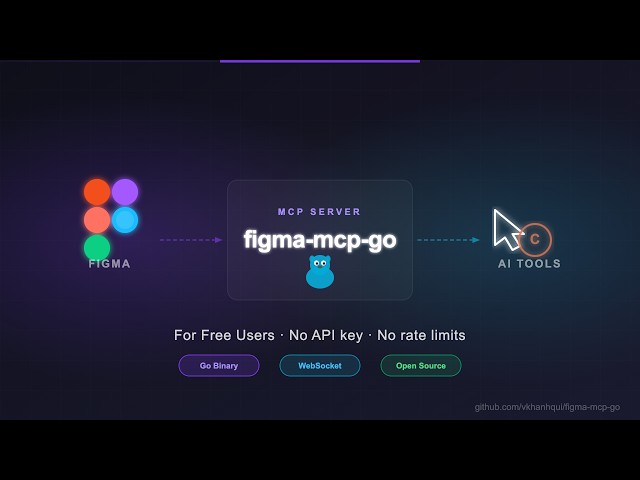
Open-source Figma MCP server with full read/write access via plugin — no REST API, no rate limits. Turn text into designs and designs into real code. Works with Cursor, Claude, GitHub Copilot, and any MCP-compatible AI tool.
Highlights
- No Figma API token required
- No rate limits — free plan friendly
- Read and Write live Figma data via plugin bridge — 73 tools total
- Full design automation — styles, variables, components, prototypes, and content
- Design strategies included — read_design_strategy, design_strategy, and more prompts built in
Styles, Variables, Components, Prototypes, and Content
https://github.com/user-attachments/assets/eae41471-fc72-4574-8261-4f42c38b8c99
Text to Design, Design to Code
https://github.com/user-attachments/assets/17bda971-0e83-4f18-8758-8ac2b8dcba62
Why this exists
Most Figma MCP servers rely on the Figma REST API.
That sounds fine… until you hit this:
| Plan | Limit |
|---|---|
| Starter / View / Collab | 6 tool calls/month |
| Pro / Org (Dev seat) | 200 tool calls/day |
| Enterprise | 600 tool calls/day |
If you're experimenting with AI tools, you'll burn through that in minutes.
I didn't have enough money to pay for higher limits. So I built something that doesn't use the API at all.
Installation & Setup
Install via npx — no build step required. Watch the setup video or follow the steps below.
1. Configure your AI tool
Claude Code CLI
claude mcp add -s project figma-mcp-go -- npx -y @vkhanhqui/figma-mcp-go@latest
Codex CLI
codex mcp add figma-mcp-go -- npx -y @vkhanhqui/figma-mcp-go@latest
.mcp.json (Claude and other MCP-compatible tools)
{
  "mcpServers": {
    "figma-mcp-go": {
      "command": "npx",
      "args": ["-y", "@vkhanhqui/figma-mcp-go"]
    }
  }
}
.vscode/mcp.json (Cursor / VS Code / GitHub Copilot)
{
  "servers": {
    "figma-mcp-go": {
      "type": "stdio",
      "command": "npx",
      "args": [
        "-y",
        "@vkhanhqui/figma-mcp-go"
      ]
    }
  }
}
2. Install the Figma plugin
- In Figma Desktop: Plugins → Development → Import plugin from manifest
- Select
manifest.jsonfrom the plugin.zip - Run the plugin inside any Figma file
Available Tools
Write — Create
| Tool | Description |
|---|---|
create_frame | Create a frame with optional auto-layout, fill, and parent |
create_rectangle | Create a rectangle with optional fill and corner radius |
create_ellipse | Create an ellipse or circle |
create_text | Create a text node (font loaded automatically) |
import_image | Decode base64 image and place it as a rectangle fill |
create_component | Convert an existing FRAME node into a reusable component |
create_section | Create a Figma Section node to organise frames on a page |
Write — Modify
| Tool | Description |
|---|---|
set_text | Update text content of an existing TEXT node |
set_fills | Set solid fill color (hex) on a node |
set_strokes | Set solid stroke color and weight on a node |
set_opacity | Set opacity of one or more nodes (0 = transparent, 1 = opaque) |
set_corner_radius | Set corner radius — uniform or per-corner |
set_auto_layout | Set or update auto-layout (flex) properties on a frame |
set_visible | Show or hide one or more nodes |
lock_nodes | Lock one or more nodes to prevent accidental edits |
unlock_nodes | Unlock one or more nodes |
rotate_nodes | Set absolute rotation in degrees on one or more nodes |
reorder_nodes | Change z-order: bringToFront, sendToBack, bringForward, sendBackward |
set_blend_mode | Set blend mode (MULTIPLY, SCREEN, OVERLAY, …) on one or more nodes |
set_constraints | Set responsive constraints { horizontal, vertical } on one or more nodes |
move_nodes | Move nodes to an absolute x/y position |
resize_nodes | Resize nodes by width and/or height |
rename_node | Rename a node |
clone_node | Clone a node, optionally repositioning or reparenting |
reparent_nodes | Move nodes to a different parent frame, group, or section |
batch_rename_nodes | Bulk rename nodes via find/replace, regex, or prefix/suffix |
find_replace_text | Find and replace text across all TEXT nodes in a subtree or page; supports regex |
Write — Delete
| Tool | Description |
|---|---|
delete_nodes | Delete one or more nodes permanently |
Write — Prototype
| Tool | Description |
|---|---|
set_reactions | Set prototype reactions (triggers + actions) on a node; mode replace or append |
remove_reactions | Remove all or specific reactions by zero-based index from a node |
Write — Styles
| Tool | Description |
|---|---|
set_effects | Apply drop shadow / blur effects directly on a node (no style required) |
create_paint_style | Create a named paint style with a solid color |
create_text_style | Create a named text style with font, size, and spacing |
create_effect_style | Create a named effect style (drop shadow, inner shadow, blur) |
create_grid_style | Create a named layout grid style (columns, rows, or grid) |
update_paint_style | Rename or recolor an existing paint style |
apply_style_to_node | Apply an existing local style to a node, linking it to that style |
delete_style | Delete any style (paint, text, effect, or grid) by ID |
Write — Variables
| Tool | Description |
|---|---|
create_variable_collection | Create a new local variable collection with an optional initial mode |
add_variable_mode | Add a new mode to an existing collection (e.g. Light/Dark) |
create_variable | Create a variable (COLOR/FLOAT/STRING/BOOLEAN) in a collection |
set_variable_value | Set a variable's value for a specific mode |
bind_variable_to_node | Bind a variable to a node property — supports fillColor, strokeColor, visible, opacity, rotation, width, height, corner radii, spacing, and more |
delete_variable | Delete a variable or an entire collection |
Write — Pages
| Tool | Description |
|---|---|
add_page | Add a new page to the document (optional name and index) |
delete_page | Delete a page by ID or name (cannot delete the only page) |
rename_page | Rename a page by ID or current name |
Write — Components & Navigation
| Tool | Description |
|---|---|
navigate_to_page | Switch the active Figma page by ID or name |
group_nodes | Group two or more nodes into a GROUP |
ungroup_nodes | Ungroup GROUP nodes, moving children to the parent |
swap_component | Swap the main component of an INSTANCE node |
detach_instance | Detach component instances, converting them to plain frames |
Read — Document & Selection
| Tool | Description |
|---|---|
get_document | Full current page tree |
get_metadata | File name, pages, current page |
get_pages | All pages (IDs + names) — lightweight, no tree loading |
get_selection | Currently selected nodes |
get_node | Single node by ID |
get_nodes_info | Multiple nodes by ID |
get_design_context | Depth-limited tree with detail level (minimal/compact/full) |
search_nodes | Find nodes by name substring and/or type within a subtree |
scan_text_nodes | All text nodes in a subtree |
scan_nodes_by_types | Nodes matching given type list |
get_viewport | Current viewport center, zoom, and visible bounds |
Read — Styles & Variables
| Tool | Description |
|---|---|
get_styles | Paint, text, effect, and grid styles |
get_variable_defs | Variable collections and values |
get_local_components | All components + component sets with variant properties |
get_annotations | Dev-mode annotations |
get_fonts | All fonts used on the current page, sorted by frequency |
get_reactions | Prototype/interaction reactions on a node |
Export
| Tool | Description |
|---|---|
get_screenshot | Base64 image export of any node |
save_screenshots | Export images to disk (server-side, no API call) |
export_frames_to_pdf | Export multiple frames as a single multi-page PDF file saved to disk |
export_tokens | Export design tokens (variables + paint styles) as JSON or CSS |
MCP Prompts
| Prompt | Description |
|---|---|
read_design_strategy | Best practices for reading Figma designs |
design_strategy | Best practices for creating and modifying designs |
text_replacement_strategy | Chunked approach for replacing text across a design |
annotation_conversion_strategy | Convert manual annotations to native Figma annotations |
swap_overrides_instances | Transfer overrides between component instances |
reaction_to_connector_strategy | Map prototype reactions into interaction flow diagrams |
Related Projects
Contributing
Issues and PRs are welcome.
Star History
Featured
Keep your Mac awake while Claude Code and 40+ AI agents run. Sleeps when they're idle.
One time payment $9 →Integrate web data into your AI product. One API to scrape website & brand data.
Get API Key Now →Agent, run crypto. Access onchain data & trade routes via 1inch.
Install now →On Capafy, your Skill runs online 24/7 as an agent product, and you get paid every time someone uses it.
Start earning →Categories
Registryactive
Package@vkhanhqui/figma-mcp-go
TransportSTDIO
Prompts12
Tools verifiedJun 10, 2026
UpdatedApr 12, 2026


