
Summary
Turns HTML content into polished PDFs without leaving your terminal. You describe what you want in a prompt (documentation, reports, architecture diagrams) and it handles the rendering and conversion through the PDFCrowd API. Works out of the box with a watermark, or connect your PDFCrowd credentials for clean output. Your source code stays local. Only the rendered HTML gets sent for PDF generation. Useful when you need to package up code analysis, project documentation, or data visualizations into a shareable format without manually wrangling layout tools. Supports stdio transport and runs via npx, so setup is minimal across Claude Code, Codex, and Gemini CLI.


Keep your Mac awake while Claude Code and 40+ AI agents run. Sleeps when they're idle.
One time payment $9 →

Integrate web data into your AI product. One API to scrape website & brand data.
Get API Key Now →
Agent, run crypto. Access onchain data & trade routes via 1inch.
Install now →
On Capafy, your Skill runs online 24/7 as an agent product, and you get paid every time someone uses it.
Start earning →




PDF Export for AI Agents
Well-designed PDFs from a single prompt. Describe what you need, get a professional document.
Powered by PDFCrowd. Learn more →
Example
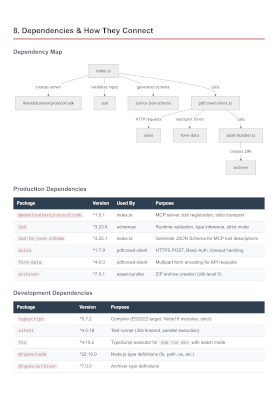
Analyze this project and create a comprehensive architecture overview PDF.
Include component diagrams and data flow. Save to architecture-overview.pdf
Configuration
Prerequisites: Node.js 18 or later.
Claude Code
Option A — Install as a plugin (Recommended):
/plugin marketplace add pdfcrowd/pdfcrowd-mcp-pdf-export
/plugin install pdfcrowd-export-pdf@pdfcrowd
Option B — Register the MCP server:
claude mcp add --scope user pdfcrowd-export-pdf -- npx -y pdfcrowd-mcp-pdf-export
Or add the equivalent JSON to ~/.claude.json (user scope) or .mcp.json (project scope):
{
  "mcpServers": {
    "pdfcrowd-export-pdf": {
      "command": "npx",
      "args": ["-y", "pdfcrowd-mcp-pdf-export"]
    }
  }
}
Codex CLI
codex mcp add pdfcrowd-export-pdf -- npx -y pdfcrowd-mcp-pdf-export
Or add manually to ~/.codex/config.toml:
[mcp_servers.pdfcrowd-export-pdf]
command = "npx"
args = ["-y", "pdfcrowd-mcp-pdf-export"]
Gemini CLI
gemini mcp add -s user pdfcrowd-export-pdf npx -y pdfcrowd-mcp-pdf-export
Or add manually to ~/.gemini/settings.json:
{
  "mcpServers": {
    "pdfcrowd-export-pdf": {
      "command": "npx",
      "args": ["-y", "pdfcrowd-mcp-pdf-export"]
    }
  }
}
Notes
- Restart your CLI after configuration to load the server
Personal Credentials
Get started right away — no credentials or signup needed. Output includes a watermark. For watermark-free PDFs, sign up for personal credentials.
Personal credentials can be set in:
- Config file
~/.pdfcrowd-mcp:PDFCROWD_USERNAME=your_username PDFCROWD_API_KEY=your_api_key - Environment variables
PDFCROWD_USERNAMEandPDFCROWD_API_KEY.
Privacy
Your source code never leaves your machine — only the rendered document is sent to PDFCrowd for PDF conversion.
License
Featured
Keep your Mac awake while Claude Code and 40+ AI agents run. Sleeps when they're idle.
One time payment $9 →Integrate web data into your AI product. One API to scrape website & brand data.
Get API Key Now →Agent, run crypto. Access onchain data & trade routes via 1inch.
Install now →On Capafy, your Skill runs online 24/7 as an agent product, and you get paid every time someone uses it.
Start earning →Configuration
PDFCROWD_USERNAMEPDFCrowd username for watermark-free output. Can also be set in ~/.pdfcrowd-mcp.
PDFCROWD_API_KEYsecretPDFCrowd API key for watermark-free output. Can also be set in ~/.pdfcrowd-mcp.
Categories
Registryactive
Packagepdfcrowd-mcp-pdf-export
TransportSTDIO
AuthRequired
UpdatedFeb 20, 2026


