
Summary
A hosted nutrition tracker that replaces apps like MyFitnessPal with a conversational interface. It exposes 20+ tools for logging meals and water, tracking macros against daily goals, viewing summaries by date range, and analyzing trends like seven-day averages, streaks, and meal patterns. Built on Supabase for persistence with OAuth authentication, so your data survives across sessions. You can self-host with the included Dockerfile or use the public instance at nutrition-mcp.com. Reach for this if you want macro tracking without switching contexts or if you're building diet coaching workflows that need structured nutrition data inside Claude.


Keep your Mac awake while Claude Code and 40+ AI agents run. Sleeps when they're idle.
One time payment $9 →

Integrate web data into your AI product. One API to scrape website & brand data.
Get API Key Now →
Agent, run crypto. Access onchain data & trade routes via 1inch.
Install now →
On Capafy, your Skill runs online 24/7 as an agent product, and you get paid every time someone uses it.
Start earning →
Nutrition MCP
A remote MCP server for personal nutrition tracking — log meals, track macros, and review nutrition history through conversation.
Help me pay for the servers on Patreon
Quick Start
Already hosted and ready to use — just connect it to your MCP client:
https://nutrition-mcp.com/mcp
On Claude.ai: Customize → Connectors → + → Add custom connector → paste the URL → Connect
On first connect you'll be asked to register with an email and password. Your data persists across reconnections.
Demo
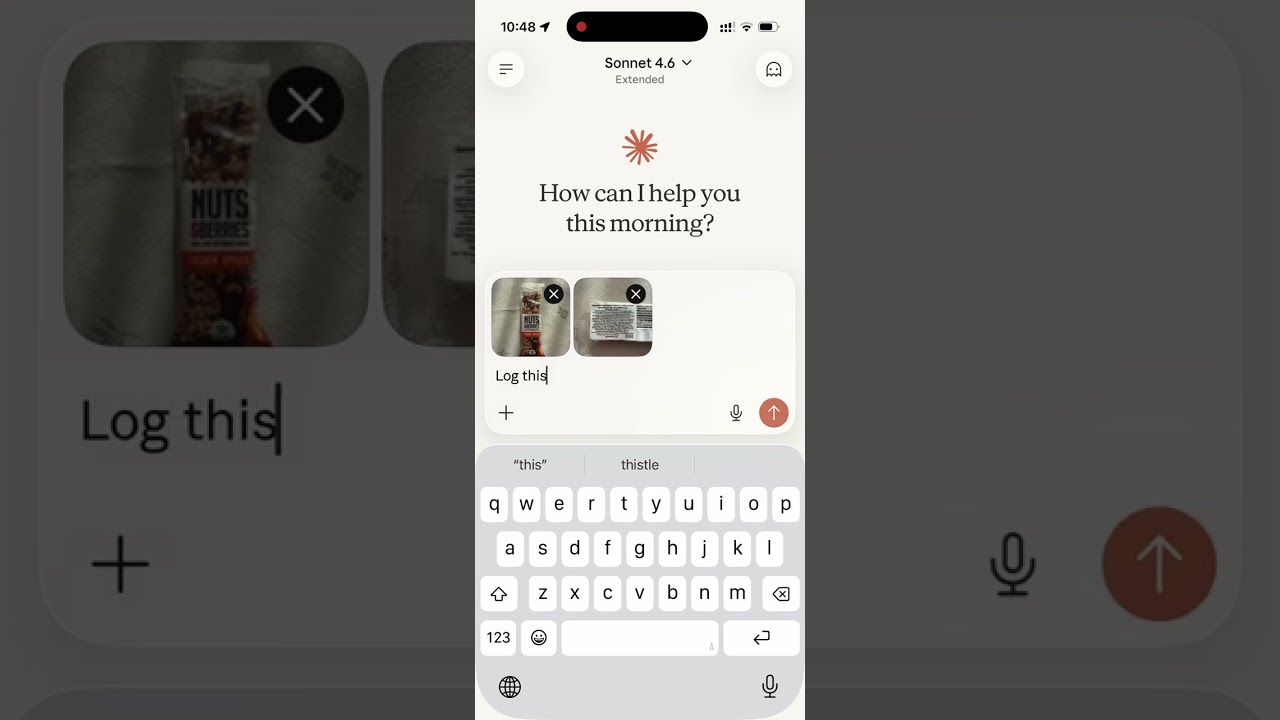
Read the story behind it: How I Replaced MyFitnessPal and Other Apps with a Single MCP Server
Tech Stack
- Bun — runtime and package manager
- Hono — HTTP framework
- MCP SDK — Model Context Protocol over Streamable HTTP
- Supabase — PostgreSQL database + user authentication
- OAuth 2.0 — authentication for Claude.ai connectors
MCP Tools
| Tool | Description |
|---|---|
log_meal | Log a meal with description, type, calories, macros, notes |
get_meals_today | Get all meals logged today |
get_meals_by_date | Get meals for a specific date (YYYY-MM-DD) |
get_meals_by_date_range | Get meals between two dates (inclusive) |
get_nutrition_summary | Daily nutrition totals + goal progress for a date range |
update_meal | Update any fields of an existing meal |
delete_meal | Delete a meal by ID |
set_nutrition_goals | Set daily calorie, macro, and water targets |
get_nutrition_goals | Get the current daily targets |
get_goal_progress | Get intake vs. targets for a given day (default: today) |
log_water | Log a hydration entry in milliliters |
get_water_today | Get today's water intake total and entries |
get_water_by_date | Get water intake for a specific date |
delete_water | Delete a water log entry by ID |
get_trends | 7/14/30-day averages, std dev, streaks, day-of-week, best/worst day |
get_meal_patterns | Pre-aggregated behavioural patterns (breakfast effect, late dinner, weekend vs weekday, outliers) |
export_meals | Export all meals as a CSV and return a 60-minute download link |
set_timezone | Set the user's IANA timezone (e.g. America/Los_Angeles) |
get_timezone | Get the user's configured timezone |
delete_account | Permanently delete account and all associated data |
MCP Resources
| URI | Description |
|---|---|
nutrition://weekly-summary | Rolling 7-day digest (averages vs targets, best/roughest day) for proactive pulls |
Self-hosting
1. Supabase setup
-
Create a Supabase project.
-
Enable Email Auth (Authentication → Providers → Email) and disable email confirmation.
-
Apply the schema. The full schema lives in
supabase/migrations/. With the Supabase CLI:supabase link --project-ref <your-project-ref> supabase db pushThis creates every table, index, RLS policy, and foreign key the app needs. No local Postgres is involved — migrations run against your hosted project.
-
Copy the service role key from Project Settings → API and use it as
SUPABASE_SECRET_KEY.
2. Environment variables
| Variable | Description |
|---|---|
SUPABASE_URL | Your Supabase project URL |
SUPABASE_SECRET_KEY | Supabase service role key (bypasses RLS) |
OAUTH_CLIENT_ID | Random string for OAuth client identification |
OAUTH_CLIENT_SECRET | Random string for OAuth client authentication |
PORT | Server port (default: 8080) |
Note: The HTML files in
public/include a Google Analytics tag (G-1K4HRB2R8X). If you're self-hosting, remove or replace the gtag snippet inpublic/index.html,public/login.html, andpublic/privacy.html.
Generate OAuth credentials:
openssl rand -hex 16   # use as OAUTH_CLIENT_ID
openssl rand -hex 32   # use as OAUTH_CLIENT_SECRET
Development
bun install
cp .env.example .env   # fill in your credentials
bun run dev             # starts with hot reload on http://localhost:8080
Connect to Claude.ai
- Open Claude.ai and click Customize
- Click Connectors, then the + button
- Click Add custom connector
- Fill in:
- Name: Nutrition Tracker
- Remote MCP Server URL:
https://nutrition-mcp.com/mcp
- Click Connect — sign in or register when prompted
- After signing in, Claude can use your nutrition tools. If you reconnect later, sign in with the same email and password to keep your data.
API Endpoints
| Endpoint | Description |
|---|---|
GET /health | Health check |
GET /.well-known/oauth-authorization-server | OAuth metadata discovery |
POST /register | Dynamic client registration |
GET /authorize | OAuth authorization (shows login page) |
POST /approve | Login/register handler |
POST /token | Token exchange |
GET /favicon.ico | Server icon |
ALL /mcp | MCP endpoint (authenticated) |
Deploy
The project includes a Dockerfile for container-based deployment.
- Push your repo to a hosting provider (e.g. DigitalOcean App Platform)
- Set the environment variables listed above
- The app auto-detects the Dockerfile and deploys on port
8080 - Point your domain to the deployed URL
License
Featured
Keep your Mac awake while Claude Code and 40+ AI agents run. Sleeps when they're idle.
One time payment $9 →Integrate web data into your AI product. One API to scrape website & brand data.
Get API Key Now →Agent, run crypto. Access onchain data & trade routes via 1inch.
Install now →On Capafy, your Skill runs online 24/7 as an agent product, and you get paid every time someone uses it.
Start earning →


